If you have an application that needs to run automatically after your VPS is restarted, you can configure it through the Windows Startup folder.
This feature is particularly useful for applications such as MT4, MT5, trading platforms, Expert Advisors (EAs), monitoring tools, and other applications that you want to launch automatically after logging in to your VPS.
Step 1: Create a Shortcut
First, create a shortcut for the application that you want to start automatically.
- Locate the application's
.exefile on your VPS. - Right-click the
.exefile. - Select Create shortcut.
- Windows will create a shortcut for the application.
Step 2: Open the Startup Folder
Next, open the Windows Startup folder:
- Press Windows + R on your keyboard.
- Enter the following command:
shell:startup- Click OK or press Enter.
The Startup folder will open.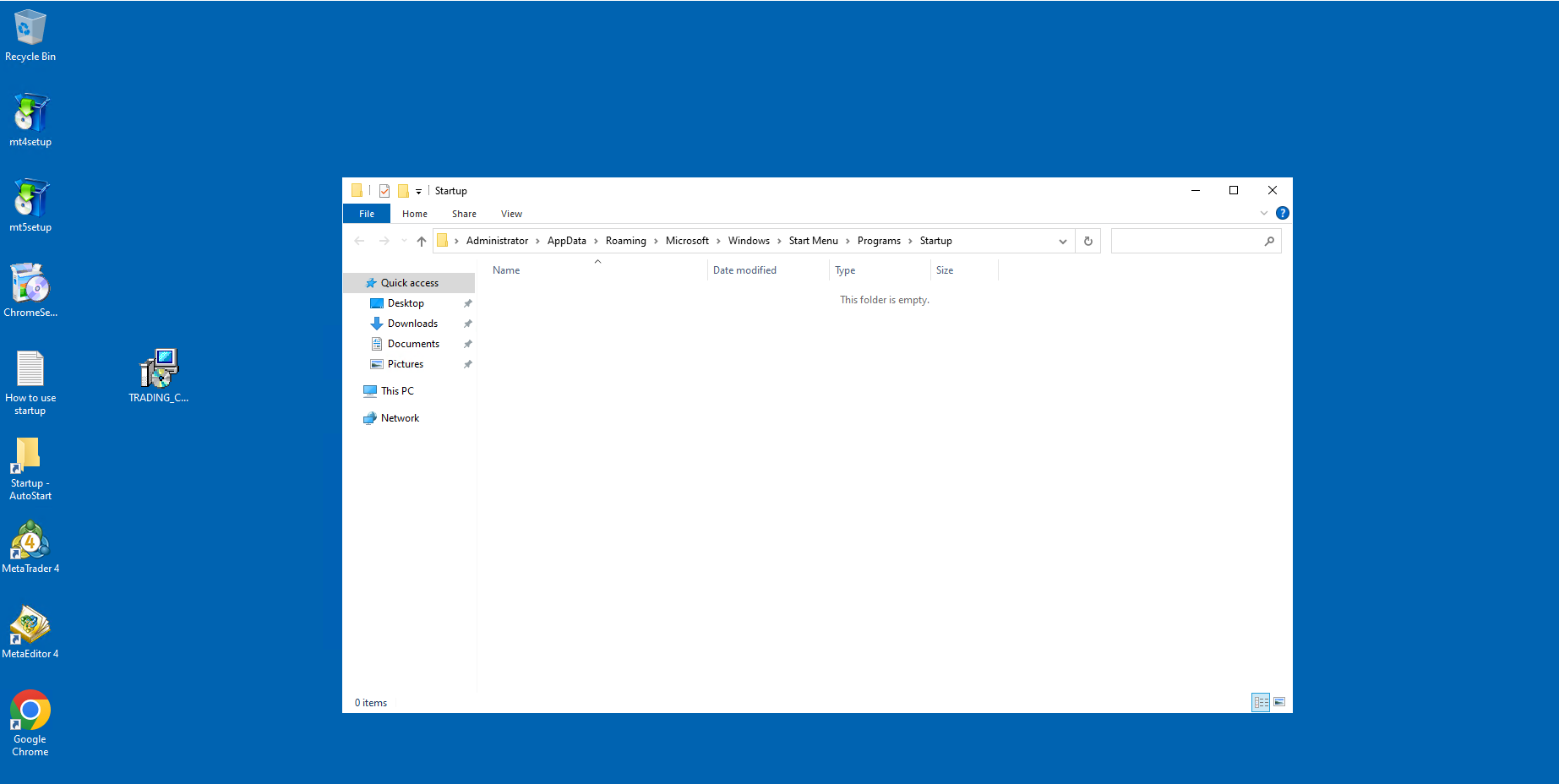
Step 3: Add the Application to Startup
Copy the shortcut you created in Step 1 and paste it into the Startup folder.
Once the shortcut has been added, Windows will automatically launch the application whenever you log in to your VPS.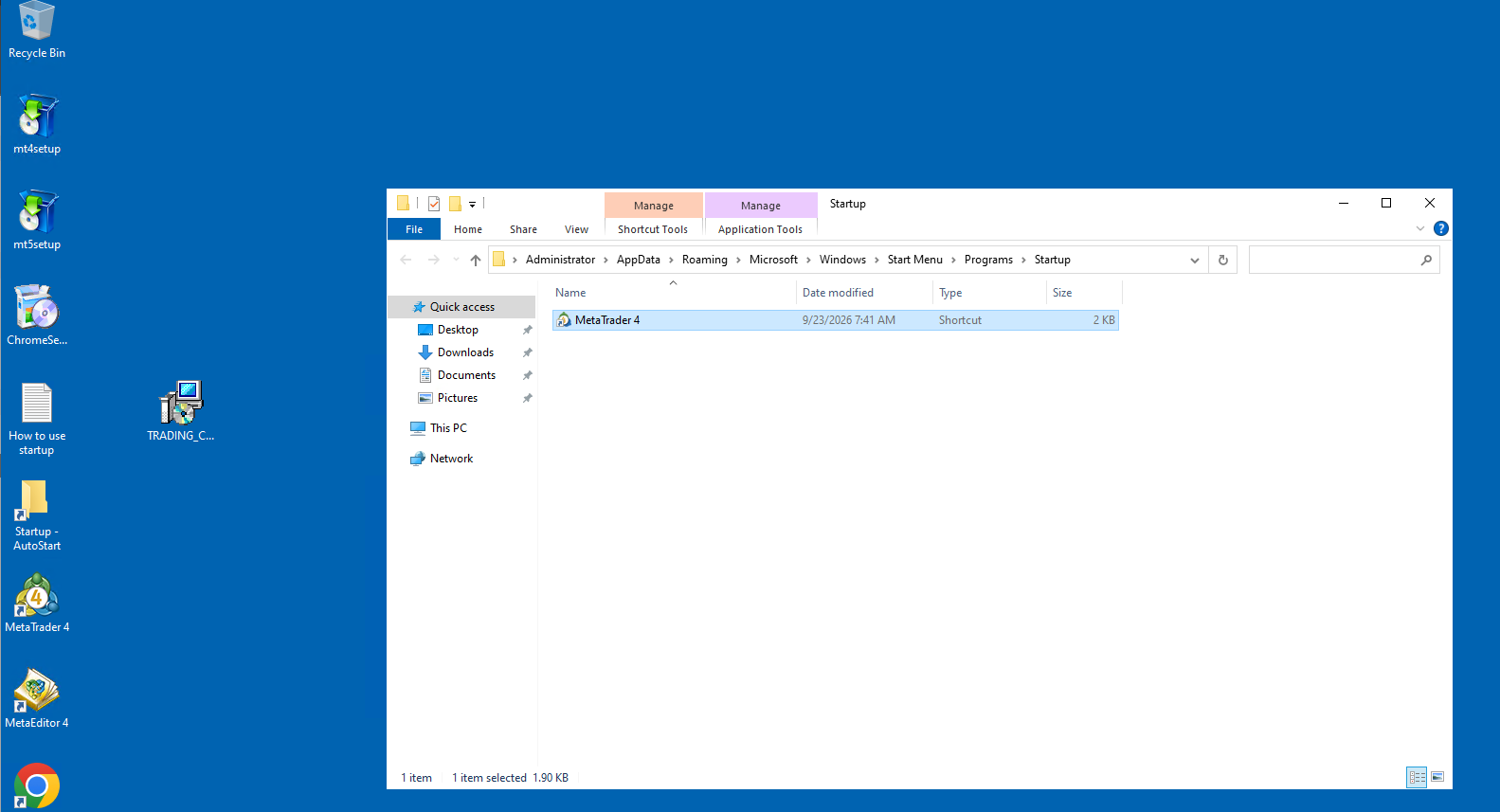
Step 4: Verify the Configuration
To verify that the setup is working correctly:
- Restart your VPS.
- Log in to your VPS.
- Allow Windows a few moments to finish loading.
- Check whether the application starts automatically.
If the application launches successfully, the Startup configuration has been completed.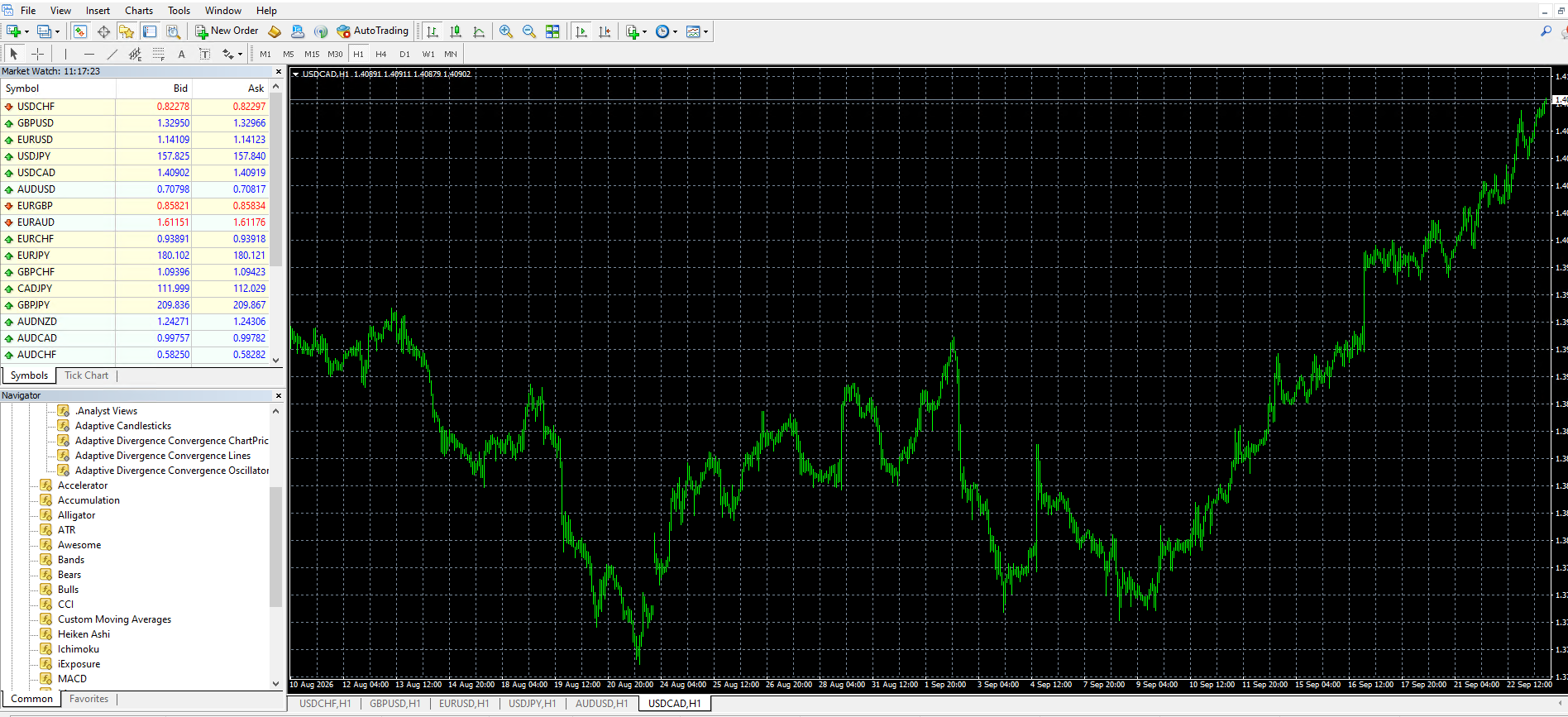
Important Information
- Make sure the application is properly installed on your VPS.
- Do not move or delete the application's
.exefile after creating the shortcut. - Adding multiple applications to Startup may increase Windows startup time and resource usage.
- Some applications may require administrator permissions or additional configuration.
- The application will start automatically after you log in to the VPS.
Conclusion
Configuring the Windows Startup folder is a simple and convenient way to ensure that your required applications launch automatically after a VPS restart.
By creating a shortcut and placing it in the Startup folder, you can save time and ensure that important applications are ready to use whenever you access your VPS.
If you need any assistance with configuring an application to start automatically on your VPS, please contact our support team.